
Polar
Connect Polar so its orders, refunds, and subscriptions become RefRef facts, and RefRef applies discounts to your customers' Polar subscriptions.
The Polar integration works in two directions:
- Facts in. Paid orders, refunds, and subscriptions become
purchaseEvents, purchase adjustments, and Subscription facts in your Project. Your server does not send them to the RefRef API. - Rewards out. RefRef applies a Program's discount to the customer's Polar subscription. Polar has no account credit that RefRef can apply, so account credit Rewards go through your product or are recorded by hand.
You connect one Polar organization to each Project. Polar's sandbox (sandbox.polar.sh) and production are separate environments with separate organizations and tokens: a Sandbox Project connects a sandbox token, and a Live Project connects a production token. Start in the Sandbox Project.
Connect Polar
-
In Polar, open your organization's Settings → Developers and create an organization access token. Give it these scopes:
products:read,orders:read,refunds:read,subscriptions:read,subscriptions:write,customers:read,discounts:read, anddiscounts:write. -
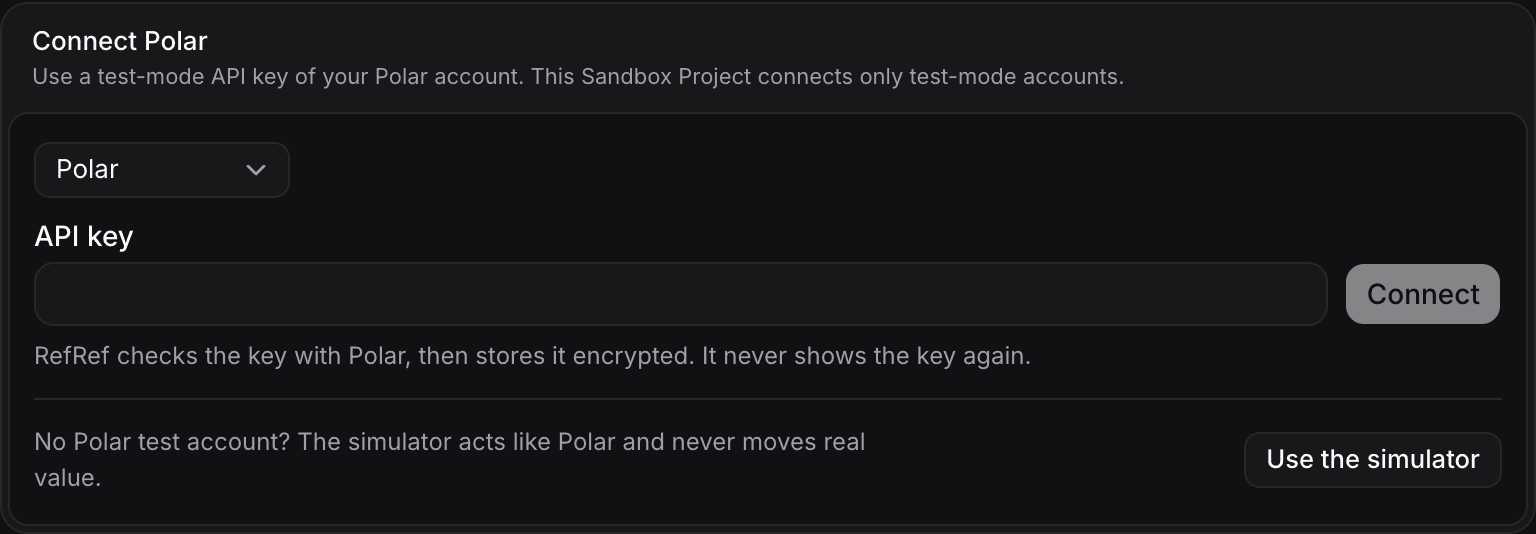
In RefRef, open the Project's Settings → Integrations, choose Polar, paste the token, and select Connect. RefRef checks the token with Polar and stores it encrypted.
-
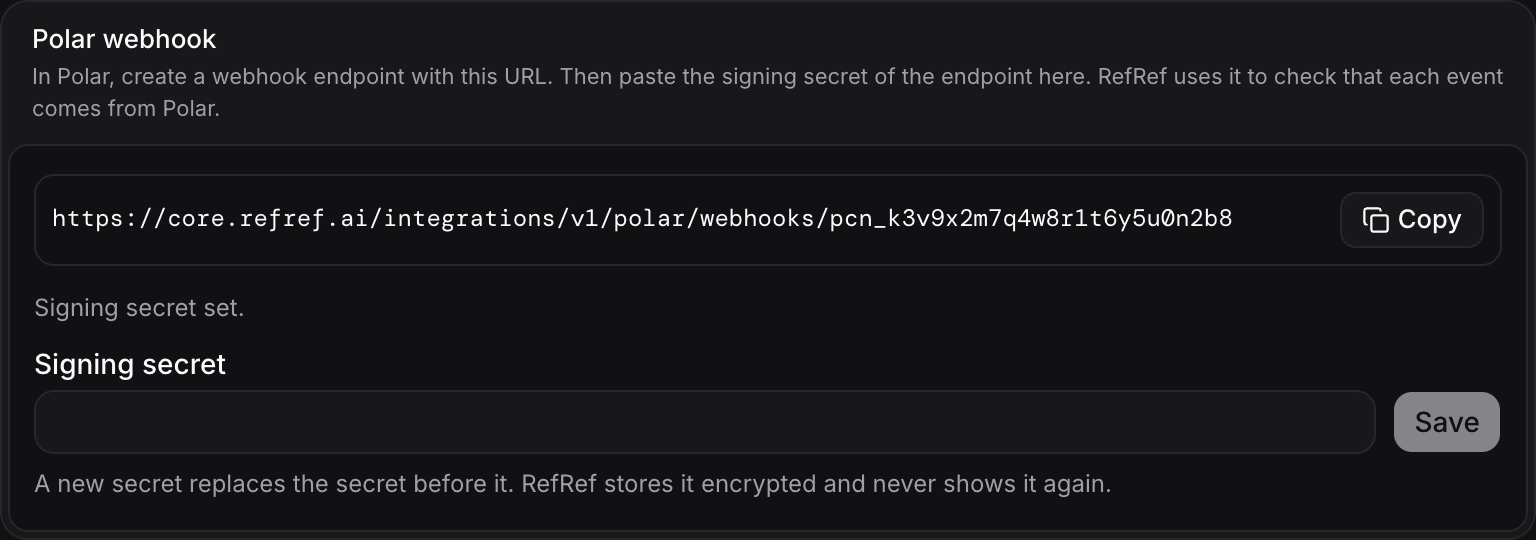
The connection shows its webhook URL, which ends in
/integrations/v1/polar/webhooks/<connectionId>. Copy it. -
In Polar, open Settings → Webhooks, add an endpoint with that URL and the Raw format, and subscribe it to these events:
Polar event What RefRef records order.paidA purchaseEvent. A subscription order is aninvoice; a one-time order is anorder.refund.created,refund.updatedA refundpurchase adjustment, once the refund has succeededsubscription.created,subscription.active,subscription.updatedThe start of the Subscription subscription.paused,subscription.resumedA pause and a resume subscription.canceled,subscription.uncanceled,subscription.revokedThe end of the Subscription, when Polar ends it -
Copy the endpoint's secret, paste it into the connection's Signing secret field in RefRef, and select Save. Until you save it, RefRef refuses the endpoint's events.
RefRef checks the signature of each event (Standard Webhooks) and refuses a changed body, a timestamp more than five minutes old, or another secret. A repeated event is stored once.
Name the customer at checkout
RefRef never matches a Polar customer by email. Your server names the participant when it creates the checkout, in the checkout's metadata:
| Metadata key | Value |
|---|---|
refref_external_id | The participant's externalId in the Project, for example your user ID. |
refref_participant_kind | individual (the default) or group, for a team account. Another value names nobody. |
refref_context_id | The ID of the browser's attribution context, from your capture backend. It binds the referral at the first purchase. |
If you already give Polar your user ID as the checkout's external_customer_id, RefRef uses it as the externalId of an individual participant when the metadata has no refref_external_id.
const checkout = await polar.checkouts.create({
  products: ["<product ID>"],
  externalCustomerId: user.id,
  metadata: {
    refref_external_id: user.id,
    // The context ID that your capture backend keeps in its signed cookie.
    refref_context_id: refrefContextId,
  },
});
Polar copies the checkout's metadata to the order and to the subscription, so renewal orders name the same participant. An order with neither the metadata nor an external customer ID gives no fact.
What RefRef does with the facts
- First purchase. The start of the subscription carries the attribution context, so it binds the referral. Its orders get the referral as their attribution.
- Renewals. Each later order of the subscription inherits the subscription's referral without a new click, also after the attribution window. A Program rule that pays on each purchase earns a Reward on each paid order.
- Paid history. Before RefRef evaluates a purchase Reward, it reads the referee's paid orders between the referral and the purchase, so that a "first purchase" rule counts only a first purchase.
- Refunds. A refund reduces the purchase by its share of the payment, tax excluded. Rewards calculated from that purchase get a matching adjustment. RefRef does not take back a Reward that it already delivered: void the Reward in the Console to remove its discount.
- Missed events. Every five minutes RefRef reads recent Polar orders, refunds, started subscriptions, and ended subscriptions, and records any fact that a webhook did not bring.
Deliver Rewards in Polar
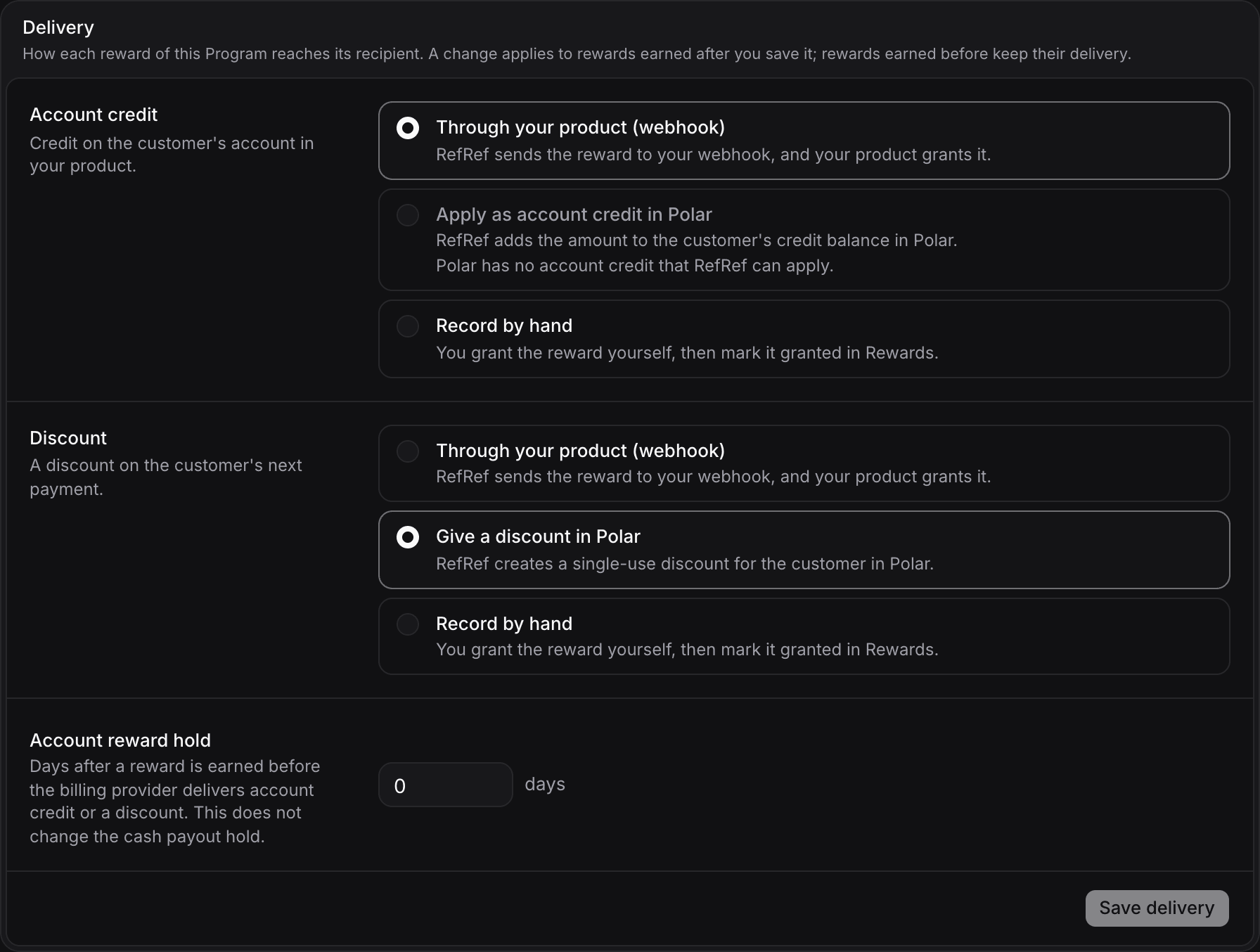
In the Program's settings, open Delivery and choose Give a discount in Polar:
| Reward | Delivery in Polar |
|---|---|
| Discount | A percentage discount that RefRef applies to the customer's active subscription from its next billing period, for the Reward's number of billing cycles and with its expiry. A void removes it from the subscription. |
| Account credit | Not available in Polar. Choose Through your product (webhook) or Record by hand. |
Polar cannot limit a discount code to one customer, so RefRef does not issue a code: it applies the discount to the subscription itself. A delivery stops, with a reason in the Console, when the customer has no active subscription or more than one, when the subscription already has another discount (RefRef does not replace it), or when the subscription is set to cancel at the end of its period.
RefRef delivers to the Polar customer of the beneficiary. It learns the customer from the beneficiary's own orders and subscriptions, or finds it by the participant's external ID. A delivery is Polar's success answer.
Not available: account credit, plan changes as a Reward, and payouts to referrers through Polar.
Test the integration
- Connect a sandbox token to your Sandbox Project and add the webhook endpoint in the Polar sandbox.
- Create a referral link for a participant and open it in a browser that runs your capture backend.
- Create a checkout with the metadata and pay it with Polar's test card
4242 4242 4242 4242. - In the Sandbox Project, check Referrals and Rewards. A discount that RefRef delivered shows its Polar discount ID, and the subscription in Polar shows the discount.
- Refund part of the order in Polar and check the adjustment on the Reward.
The Polar sandbox and production share no data. A sandbox token cannot read a production organization, and a Sandbox Project accepts only a sandbox token.
Stripe
Connect Stripe so its invoices, payments, refunds, and subscriptions become RefRef facts, and RefRef delivers account credit and promotion codes in Stripe.
Paddle
Connect Paddle Billing so its transactions, refunds, and subscriptions become RefRef facts, and RefRef applies discounts to your customers' Paddle subscriptions.