
Make
Verify a RefRef webhook in a Make scenario with a filter, grant the Reward, and confirm it with the RefRef API.
This scenario receives reward.earned, checks the RefRef signature with a filter, and confirms the Reward with an HTTP module. It uses no code. Read the overview first for the subscription and signature rules.

1. Receive the raw request
- Add Webhooks → Custom webhook and create a webhook.
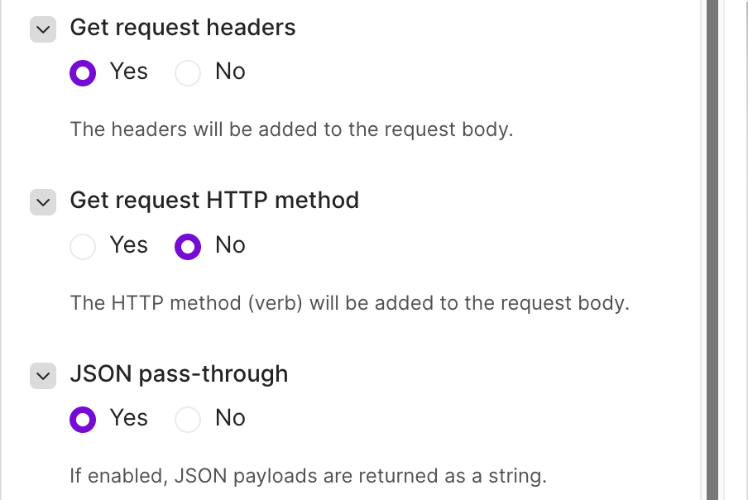
- Open Advanced settings and set Get request headers and JSON pass-through to Yes. With pass-through, Make keeps the raw body as text in
value, which the signature check needs. The headers arrive as a list ofnameandvalueitems. - Copy the webhook URL and subscribe it with
fulfillmentMode: "explicit". Keep the returnedsecret(see Subscribe the URL). - Click Run once and send one event, so that Make learns the shape of the request.
2. Build the signed text
Add Tools → Compose a string after the webhook. Its text is <webhook-id>.<webhook-timestamp>.<raw body>:
{{get(map(1.__IMTHEADERS__; "value"; "name"; "webhook-id"); 1)}}.{{get(map(1.__IMTHEADERS__; "value"; "name"; "webhook-timestamp"); 1)}}.{{1.value}}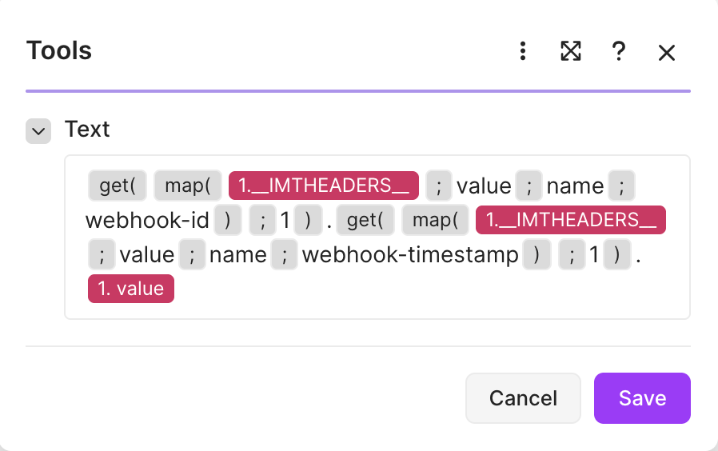
Make shows the header list as Headers in the mapping panel, but its
formulas name it 1.__IMTHEADERS__; 1.headers does not resolve. Paste each
formula as a whole. When you type {{ character by character, Make keeps it
as text.
3. Check the signature with a filter
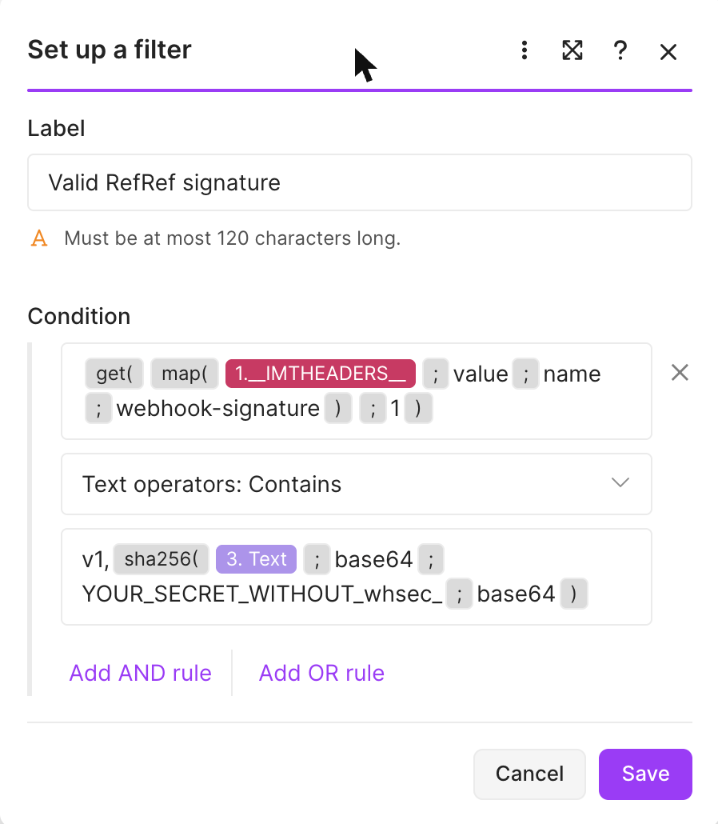
Click the link between Compose a string and the next module, and set up a filter named Valid RefRef signature:
| Field | Value |
|---|---|
| Condition | {{get(map(1.__IMTHEADERS__; "value"; "name"; "webhook-signature"); 1)}} |
| Operator | Text operators: Contains |
| Value | v1,{{sha256(3.value; "base64"; "<secret without whsec_>"; "base64")}} |
sha256(text; "base64"; key; "base64") computes the HMAC with a base64 key and returns base64, which is the format of each v1, signature. 3.value is the output of Compose a string. Contains accepts the request when any signature in the header matches, so it also works during a secret rotation.
A request that fails the filter stops the run. This filter does not check webhook-timestamp. The confirmation is idempotent, so a replayed request cannot confirm a Reward twice, but your grant step must also ignore a Reward ID that it already granted.
4. Grant the Reward
Add JSON → Parse JSON with {{1.value}} as its JSON string, then the modules that grant the Reward in your product. Use data.reward.id as the idempotency key and data.reward.beneficiary.externalId to find the user.
5. Confirm the fulfillment
Add HTTP → Make a request:
| Field | Value |
|---|---|
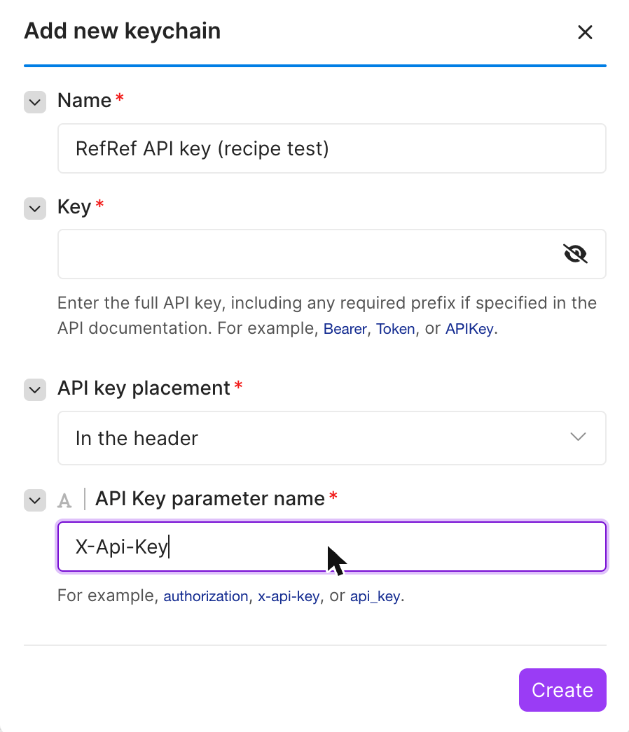
| Authentication | API key, with a keychain: placement In the header, parameter name X-Api-Key |
| URL | https://<your RefRef API>/v1/rewards/{{2.data.reward.id}}/fulfillment |
| Method | POST |
| Body content | application/json, JSON string |
Body:
{
  "projectId": "{{2.projectId}}",
  "externalReference": "make:{{2.id}}"
}
Module 2 is Parse JSON. The keychain keeps the API key out of the module settings.
Run the scenario once with a real Reward. The Reward's status becomes fulfilled, and GET /v1/rewards/{rewardId} shows the externalReference that the scenario sent.